Lab 2 presents a specific scenario: training throughput has dropped 40%, but show interface counters shows zero drops. The buffer utilisation is elevated (87%). The engineer must identify the root cause and fix it.
Why silent congestion is dangerous
Silent congestion is the most operationally difficult failure mode because the fabric looks healthy from casual inspection. No drops. PFC pauses are present but small. Buffer utilisation is elevated but below the drop threshold. The monitoring dashboard does not alarm.
What is actually happening: without ECN, the only congestion mechanism is PFC. The switch is sending PAUSE frames to manage the congested port. The NIC is alternating between paused and transmitting. Effective throughput is a fraction of line rate even though no packets are being dropped. The RDMA queue pairs are not in error state. The training job continues -- just slowly.
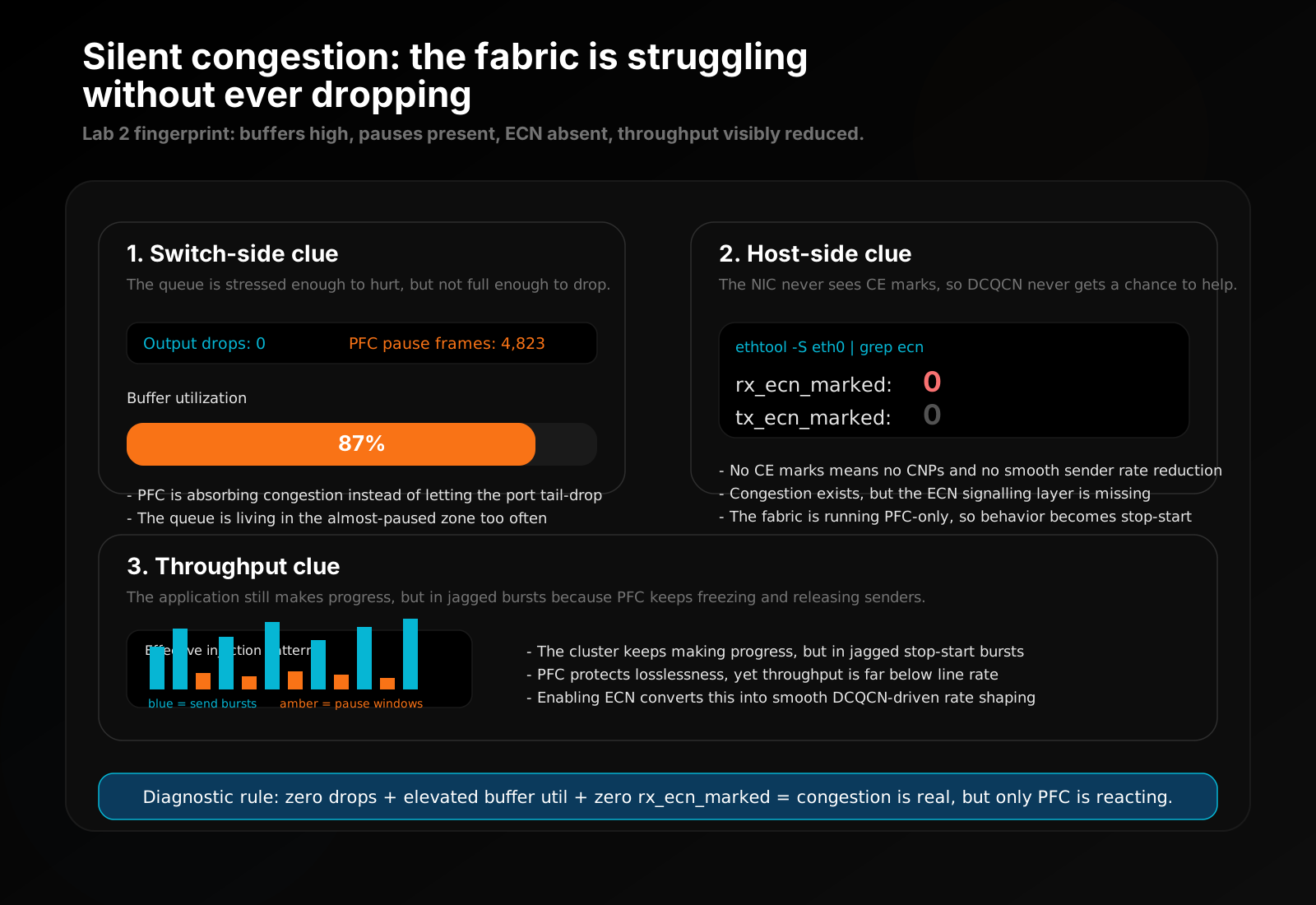
Figure: This is the diagnostic pattern Lab 2 is built around. The fabric is protecting itself from drops, but because ECN is absent the only control loop left is stop-start pausing.
The diagnostic path for Lab 2
Step 1: Check buffer utilisation on the switch
# Leaf switch terminal (blue prompt)
show interface counters

Interface swp1
  Output drops:      0         <- zero drops -- looks healthy
  PFC pause frames:  4,823     <- pauses present but modest
  Buffer util:       87%       <- THIS is the problem signal
High buffer utilisation with zero drops tells you: congestion is present, PFC is preventing drops, but the congestion is not being managed proactively. ECN would have reduced injection rates before the buffer got this full.
Step 2: Confirm ECN is not active
# Leaf switch terminal
show dcb ets

Interface swp1 -- ETS Configuration
  ECN marking:  disabled        <- confirmed: ECN not configured
  DCQCN:        inactive
Step 3: Confirm from the NIC side
# DGX host terminal (green prompt)
ethtool -S eth0 | grep ecn
  rx_ecn_marked:  0   <- no ECN marks received, DCQCN not firing
Step 4: Fix
# Leaf switch terminal
enable ecn    <- ProDeploy simulator command
In production:
nv set qos congestion-control profile roce \
    min-threshold 150000 max-threshold 1500000 probability 100
nv config apply
Step 5: Verify
# Leaf switch terminal
show dcb ets

Interface swp1 -- ETS Configuration
  ECN marking:  enabled  <- ECN now active
  DCQCN:        active

show interface counters

Interface swp1
  Buffer util:       31%   <- dropped significantly -- DCQCN is working
  PFC pause frames:  4,823 <- historical, no longer growing rapidly
# DGX host terminal
ethtool -S eth0 | grep ecn
  rx_ecn_marked:  847   <- ECN marks being received, DCQCN reacting
Training throughput recovers because senders are now rate-limited by DCQCN rather than being intermittently paused by PFC. The AllReduce operations complete faster because the injection rate is managed smoothly rather than in stop-start bursts.